Flutter Web guide
All steps:
- add Loading Progress to fixing white screen
- detect flutter web Mobile or Desktop
- disable Right-Click 'Context Menu Options' on the Browser
- mouse-support
- keypress error should be resolved
- url navigation
- url sync with page scrolling
- single page url navigation
- flutter web deployment
meta data -- Link Preview
disable Right-Click 'Context Menu Options'
index.html
  <!-- This is for disabling Right-Click 'Context Menu Options' on the Browser... reason was the video player controls were visible to the user. -->
  <script>
    document.body.addEventListener('contextmenu', (event) => {
      event.preventDefault();
    });
  </script>
Must Learn Responsive Guide
Very Very Important
removing # from web url
- use package:
url_strategy
tip
title
return MaterialApp(
  title: "MyTitle",
  home: MyHomeWidget());
icon for the webpage
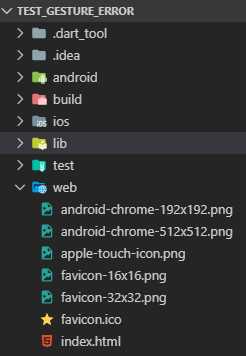
Add favicon.ico file, placing it inside the your_project_dir\web folder alongside index.html and then add it like this
<!-- Favicon -->
<link rel="icon" type="image/png" href="favicon.ico" />
<!-- add icon name here                      ⏫ -->

ConstrainedBox to set maxWidth for Content on web
class CenteredView extends StatelessWidget {
final Widget child;
const CenteredView({super.key, required this.child});
Widget build(BuildContext context) {
return Container(
padding: const EdgeInsets.symmetric(horizontal: 70.0, vertical: 60),
alignment: Alignment.topCenter,
child: ConstrainedBox(
constraints: BoxConstraints(maxWidth: 1200),
child: child,
),
);
}
}